If you own or run a website you should be utilizing the power of web analytics. Web analytics programs help you collect information on how users are finding and navigating your website. This data can then be used to drive the improvement success of your website.
Web Analytics tracks a website visitor's steps and collect metrics such as:
- Page views
- Time on page
- Clicks
- Bounce rate
- New/returning visitors
- Purchases
- Live visits
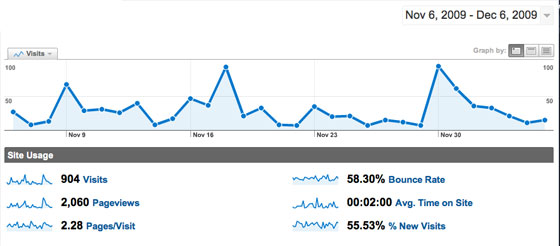
Google Analytics provides FREE detailed, accurate reporting across more metrics than any of the other Analytics service. It also offers tight integration with PPC campaigns and other online marketing efforts.
How Brunello uses Google Analytics:
We use Google Analytics on most of our client websites. This keeps track of traffic numbers, e-commerce data, and other helpful information. We take this information into consideration when suggesting design changes to websites. Sometimes simple re-alignments – not drastic redesigns – can help improve conversion and sales figures. We also integrate Google Analytics with Google Adwords to report ROI statistics on keyword campaigns for PPC accounts that we administer.
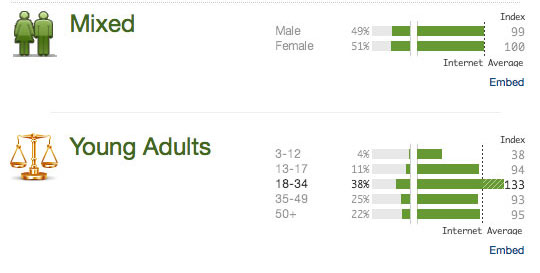
Quantcast goes beyond your normal statistics of analytics and digs deeper. Quantcast breaks down your user base by: education level, income, gender, age, size of household, and other sites visited.
How Brunello uses Quantcast:
We use Quantcast to get a complete picture of a site's typical visitor. Quantcast provides in-depth audience data and helps us tailor our design decisions based on specific audience data. Information gathered from Quantcast can influence design, navigation, language, PPC marketing and more.
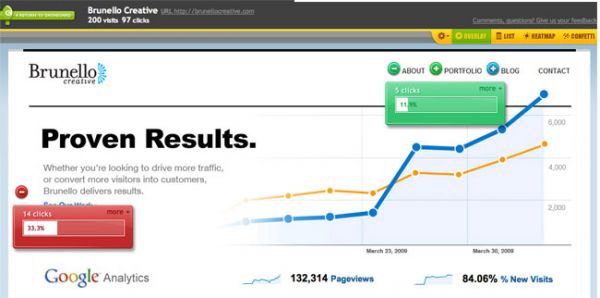
Crazy Egg is a heat mapping service that tracks where on a page users are clicking. They also have helpful display options that will show metrics such as: referring websites, clicks by page element, click percentage, time to click and others.
How Brunello uses Crazy Egg:
We recently used Crazy Egg on a site to determine if visitors were utilizing a newly added feature. This heat mapping service allowed us to provide metrics to the client that show how the new feature was being utilized by users.
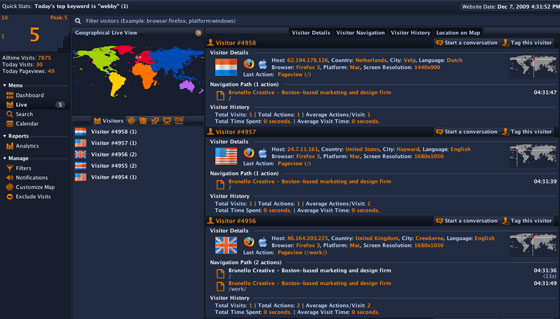
Woopra allows you to view live, real-time web analytics. You can watch users visiting your site live and interact with them in the process.
How Brunello uses Woopra:
We use Woopra to track live visitors on a site. We're especially interesting in identifying areas of issue, troubleshooting and analyzing visitor behavior. Woopra enables us to watch visitors make purchases on an e-commerce site and monitor any hang-ups in the shopping cart process. This information allows us to respond to known issues quickly and confidently.

ClickHeat is a visual heatmap of clicks on a HTML page, showing hot and cold click zones. ClickHeat is an OpenSource software, released under GPL license, and free of charge.
How Brunello uses ClickHeat:
We recently installed ClickHeat on our own site to track where YOU (our visitors) are clicking. This data will be used for future optimizations of our website. So click around!